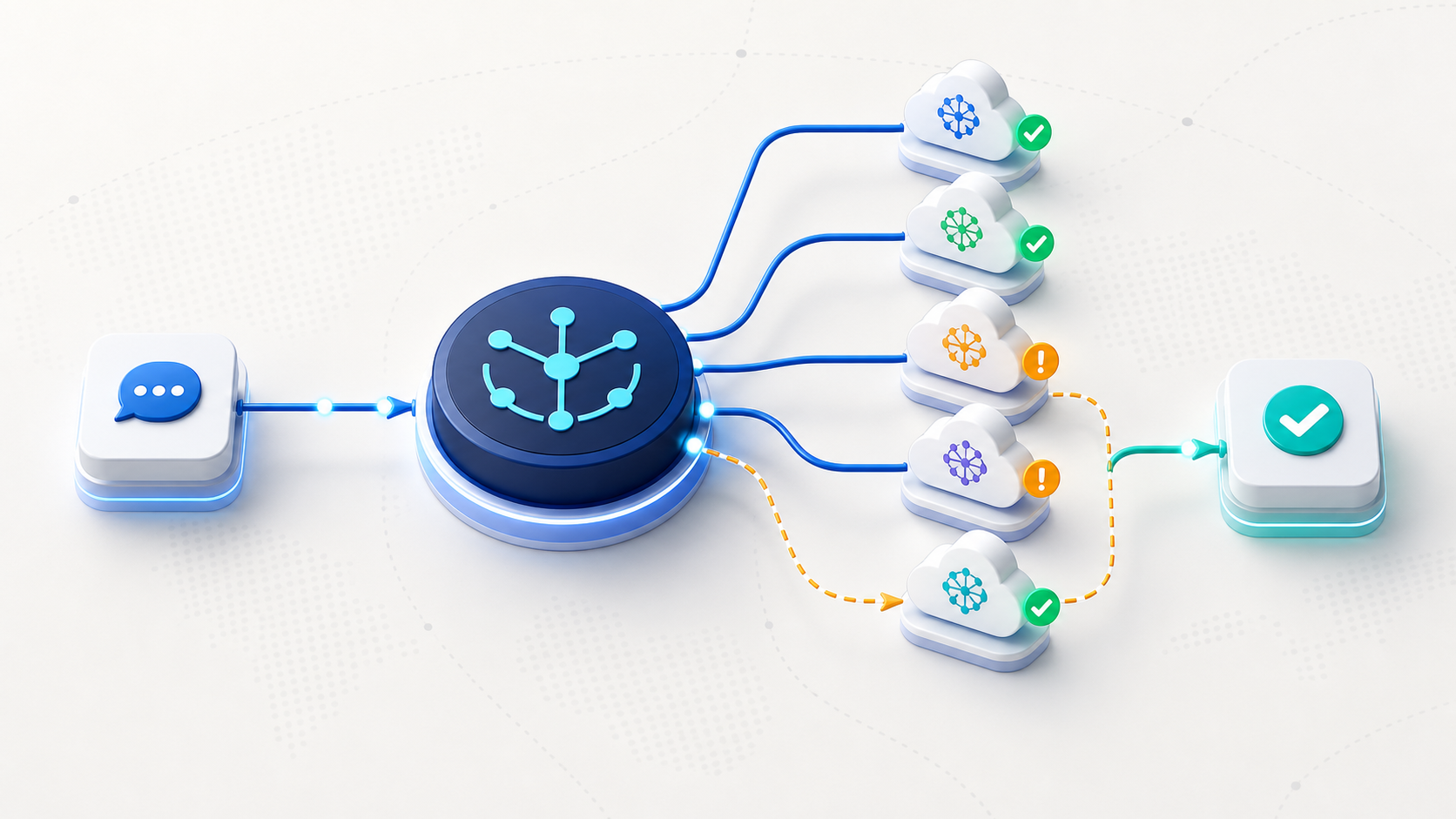
Applications often start with one AI provider and later need multiple models for cost, availability, or quality. OmniRoute is an open-source gateway that presents a single OpenAI-compatible endpoint while routing requests across a broad catalog of providers.
What an AI gateway solves
Without a gateway, every provider can require different authentication, model identifiers, limits, and error handling. A routing layer centralizes those differences. OmniRoute advertises provider connections, fallback strategies, compatibility aliases, token-management features, and an MCP server for agent workflows.
Fallback and resilience
A fallback chain can send a request to another suitable model when the preferred provider is unavailable or rate-limited. This improves resilience, but it must be configured carefully. Different models vary in context length, tool-call format, safety behavior, output quality, and data-processing terms.
Are the tokens really free?
OmniRoute aggregates providers that offer free tiers or promotional allowances. Those allowances belong to the providers and can change, expire, require accounts, or impose usage restrictions. The gateway does not create unlimited compute. Verify every provider’s current terms, rate limits, privacy policy, and commercial-use rules.
Security checklist
Store provider credentials in a secret manager, never in client-side code.
Restrict the gateway to trusted networks and authenticated users.
Log routing decisions without recording sensitive prompts unnecessarily.
Set budget, rate, and model allowlists before connecting autonomous agents.
Test whether fallback changes output structure or safety behavior.
Getting started
Read the current setup and provider documentation on the official OmniRoute site. Begin with two providers and a non-sensitive test workload. Measure latency, error recovery, and actual cost before expanding the routing pool.
Video reference: Watch the OmniRoute segment from 8:32.